![trace-logo-full-colour-rgb-1878px@72ppi.png]](https://trace.weareisla.co.uk/hs-fs/hubfs/trace-logo-full-colour-rgb-1878px@72ppi.png?height=50&name=trace-logo-full-colour-rgb-1878px@72ppi.png)
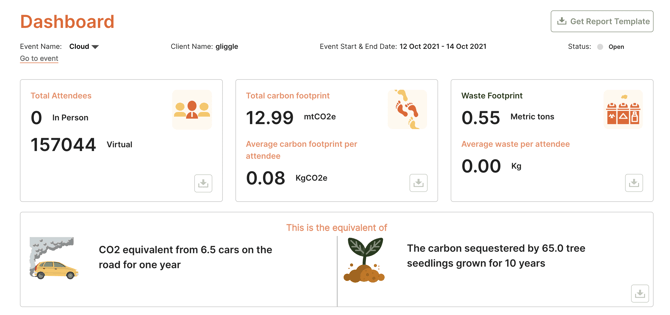
You can navigate to your dashboard by clicking "Dashboard" in the top menu bar, or “see your results” in the left menu bar which takes you straight to the results for this event.
In the dashboard, you can switch between events using the Event Name drop-down menu top left.
Depending on your package you can also have access to the "Combined Event Dashboard" or the "Business Operations Dashboard".
Your Combined Events Dashboard allows you to see the overall carbon footprint for all events that have been added to TRACE. By default, only events which are marked as Complete are shown below, but you can adjust this using the filters.
If some sections of the app were toggled off the resulting charts and tips in the dashboard may appear empty, but this is normal.
The top section of the dashboard is your complete event Carbon Footprint.
Below this, is a series of subheadings for Energy, Travel & Transport, Food & Drink, Production and Waste. Click on these to display detailed area breakdowns.